Any One Will Do
You can try it out at anyonewilldo.com
What is Any One Will Do?
Any One Will Do is a free tool that helps you:
- pick a random name from a list
- divide people into balanced groups
It runs entirely in your browser — there’s no account, no server storage, and nothing tracked.
The goal is simple: make random decisions quickly, fairly, and with a bit of fun.
Random Picker
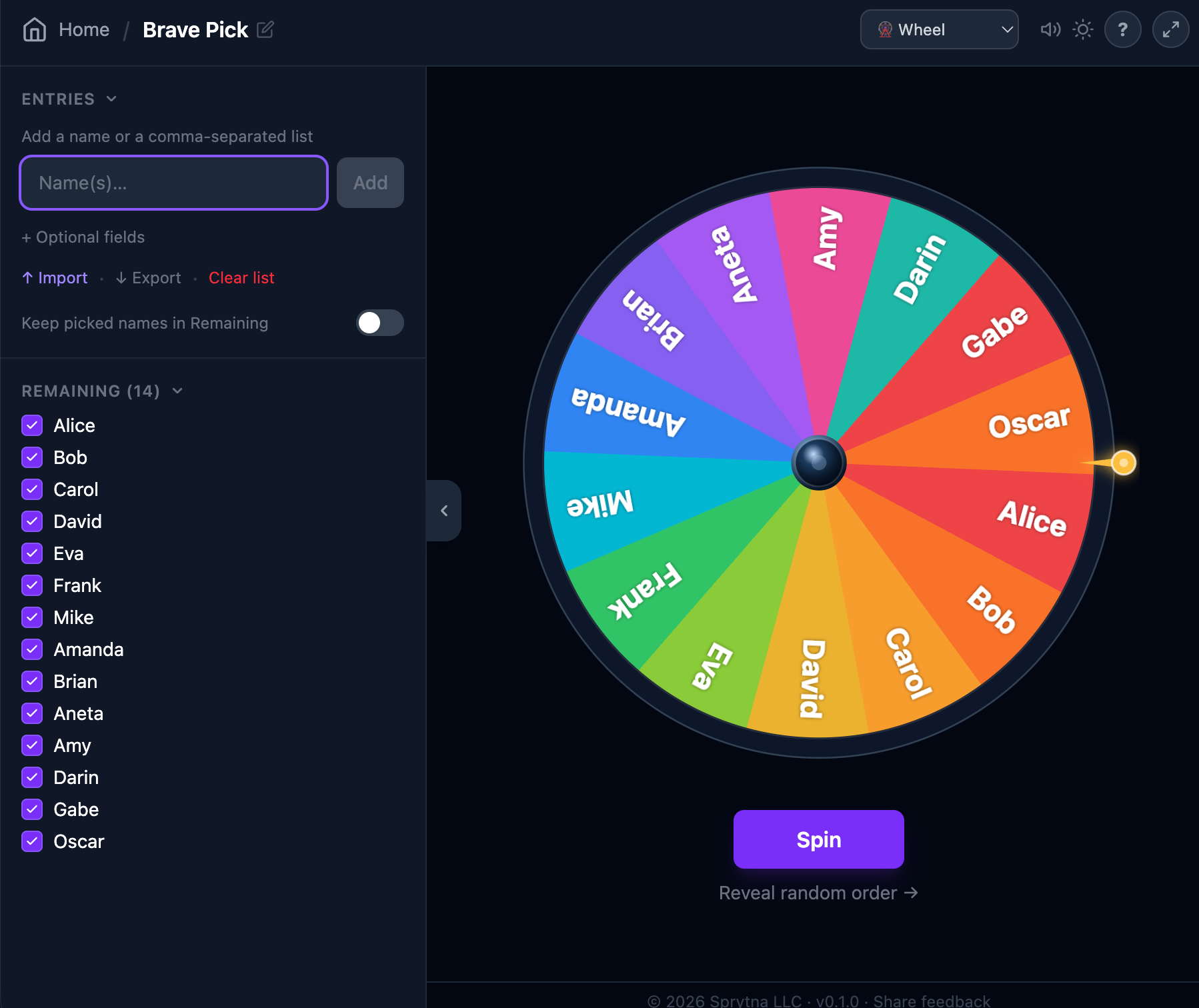
Spin a wheel or flash a light board to pick one entry at random from your list.
Getting started
- From the home screen, click Random Picker to create a new session.
- Open the side panel (the arrow tab on the left) and type names — separate multiple names with commas, or paste a list directly.
- Hit Go! to spin. The wheel or board will animate and land on a random pick.
- Continue picking. Picked entries are removed from the pool by default so each entry is selected once.
- When all names are picked, hit Start Over to reset the pool.
When adding an entry, click + Optional fields to attach a full name and website URL. When that entry is picked, the full name and a clickable link appear on the reveal screen.
Wheel vs Light Board
Switch between themes using the dropdown in the top-right corner of the game page.
Wheel A spinning color wheel — great for up to ~12 entries where you want everything visible at once. Light Board
Light Board A flashing grid — works well with larger groups. Names are spread across pages if there are more than 9.
Keep names in the pool
Toggle Keep picked names in Remaining in the side panel to leave entries in the pool after they’re picked — useful for repeated random draws where the same entry can be chosen more than once.
Sitting out
Uncheck any entry in the Remaining list to move it to Sitting Out. It won’t be picked but stays in the session for easy re-adding.
Form Groups
Randomly split your group into balanced teams. Any One Will Do handles uneven numbers automatically so no team is left too small.
Getting started
- From the home screen, click Form Groups to create a new session.
- Add names in the side panel, same as the Random Picker.
- Set your target group size using the + / − controls. A preview shows how the groups will be distributed.
- Click Draw Groups. Entries are assigned one-by-one to each team in a draft-board style reveal.
- Groups are displayed as cards below the active draft column.
Draft Board vs Cards
Switch between display styles using the dropdown in the top-right corner of the game page.
Draft Board
Reveals one group at a time in a column — entries drop in one by one. Completed groups slide into a compact grid below. Great for a dramatic reveal in front of an audience.
Cards
Shows all groups as a grid of flippable cards. Each card flips to reveal a team member. Good for smaller groups where you want the full picture at a glance. Team names
Teams are automatically given names from a themed category — Animals, Colours, and more. Choose your preferred category in the side panel before drawing.
Sessions & sharing
- Saved locally
- Sessions are stored in your browser. Nothing is sent to any server. Only you can see your sessions.
- Copy link
Give it a spin!
You can try it out at anyonewilldo.com